 |
|
|
|
|
|
|
|
 |
 |
 |
 |
 |
|
||
 |
|
||||||
 |
 |
 |
|
||||
5.6.2.1.1.1, .2 and .4 Retrieve HRMA temperature readouts and each gradient
5.6.2.1.1.3 Calculate axial, radial, diametral gradients
5.6.2.1.2.1 HRMA thermal control system housekeeping
5.6.2.1.2.1 Check on-board quaternion vs. expected pointing position
5.6.2.1.2.2 Determine Aspect Camera Assembly temperatures L0*
5.6.2.1.2.3 Check ACA configuration
5.6.2.1.2.4.1 Check position of each star.
5.6.2.1.2.4.2 Check pattern of stars.
5.6.2.1.2.4.3 Check mag. of each star.
5.6.2.1.2.4.4 Check PRF of each star.
5.6.2.1.2.5.1 Check position of each FID light.
5.6.2.1.2.5.2 Check pattern of FID lights.
5.6.2.1.2.5.3 Check mag. of each FID light.
5.6.2.1.2.5.4 Check PRF of each FID light.
5.6.2.1.2.6 Check for detection of optical monitor star, if expected
5.6.2.1.2.7 Check CCD camera dark current, readout noise, sky background,
5.6.2.1.2.8 Check temperatures of, and gradient across FTS
5.6.2.1.2.10 Determine IRU temperatures and voltages
5.6.2.1.2.11 Check for gyro rate data within limits
5.6.2.1.2.12 Monitor drift rate updates to gyros
5.6.2.1.2.13 Check for motion stability within limits
5.6.2.1.2.14 Determine reaction wheel rates
5.6.2.1.2.15 Determine RCS gas usage, and amount in tanks
5.6.2.1.2.16 Determine Absolute maneuver accuracy
5.6.2.1.2.17 Check sun sensor readings against expected angle from Sun
5.6.2.1.3.1 Determine HRC background event counting rates.
5.6.2.1.3.2 Determine X-ray target source counting rates.
5.6.2.1.3.4 create image in TDET.
5.6.2.1.3.5 Determine VETO rate.
5.6.2.1.3.6 infer background rates and proper functional state
5.6.2.1.3.7 Dose tool.
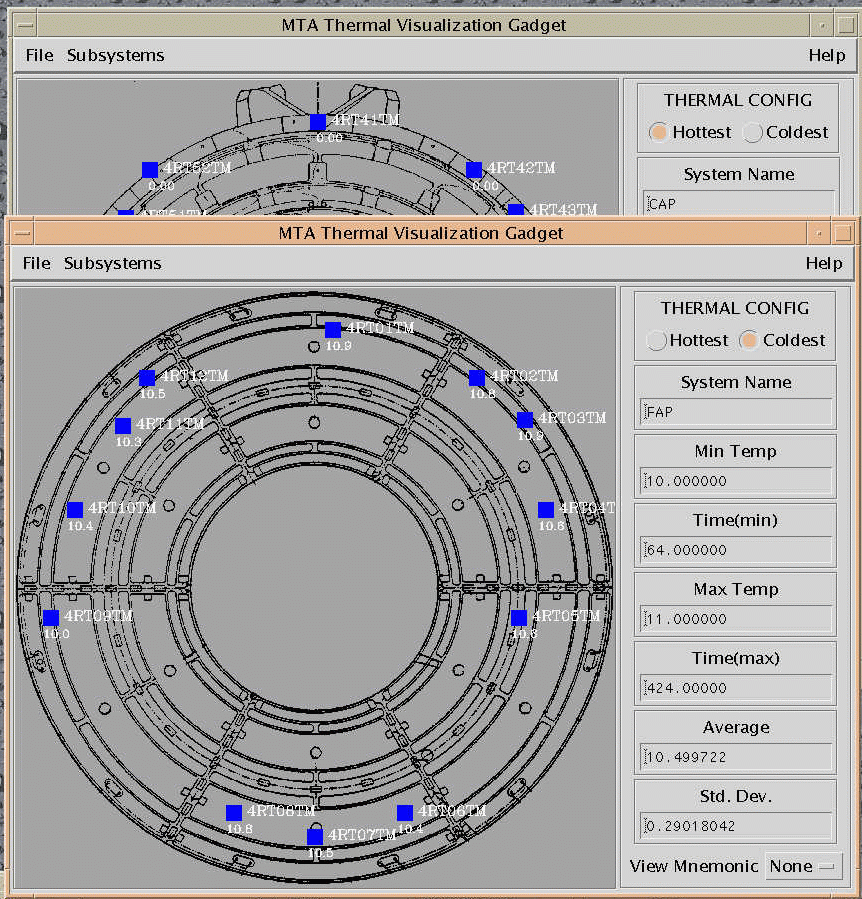
5.6.2.1.3.8 Temperatures.
5.6.2.1.3.9 Electronics
5.6.2.1.4.1 ACIS configuration
5.6.2.1.4.7 ACIS thermal
5.6.2.1.4.8 ACIS electronics
5.6.2.1.4.9 ACIS DEA
5.6.2.1.4.2 Determine ACIS Background Rates
5.6.2.1.4.3 Compute electronic readout noise
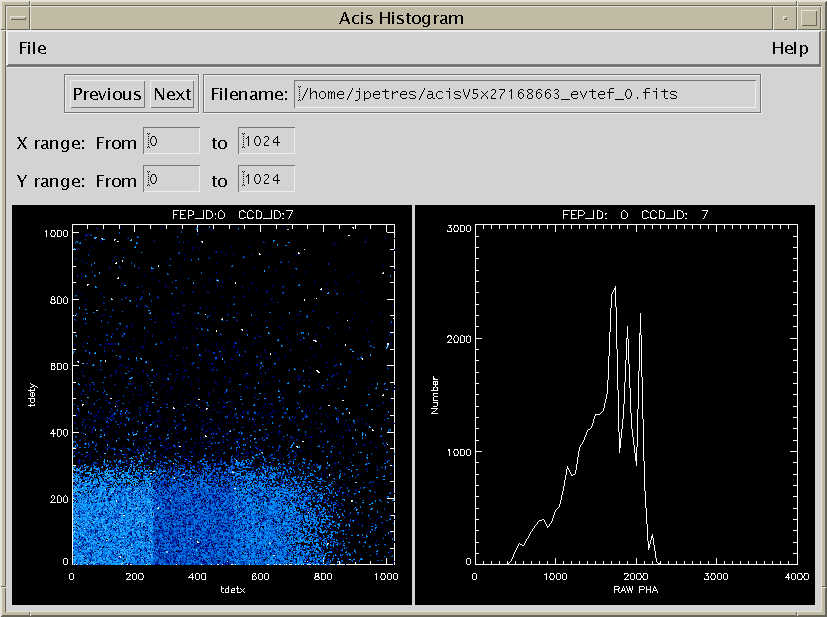
5.6.2.1.4.5 Generate Image in Detector Coordinates
5.6.2.1.4.6 Utilize next-in-line mode
5.6.2.1.5.0 Grating Hardware electronics
5.6.2.1.5.2 Zero-order image centroid position
5.6.2.1.5.5 Calculate grating constants
5.6.2.1.5.6 Grating thermal environment
5.6.2.1.5.7 Compare the first-order spectrum to the zero-order spectrum
5.6.2.1.6.1 Determine SIM position
5.6.2.1.6.3 Determine SIM temperatures and voltages
5.6.2.1.6.4 Monitor SIM actuator use
5.6.2.1.8.2 Monitor OBC State
5.6.2.1.8.4 Monitor spacecraft temperatures
5.6.2.1.8.5 Monitor power usage and availability
5.6.2.1.9.1 Check ephin housekeeping status, detector/ counter status
5.6.2.1.9.2 Check ephin temperatures and voltages
Email problems to: swolk@head-cfa.harvard.edu
(Scott Wolk)
...it is all his fault